BWGG-RBX
 Game Pass withdrawal instruction
Learn more about how to withdraw an game pass from our app in the RBX game.
Video guides
1. Login to your RBX account
Go to https://roblox.com and login to your account
2. Set the 'Maturity label' (REQUIRED)
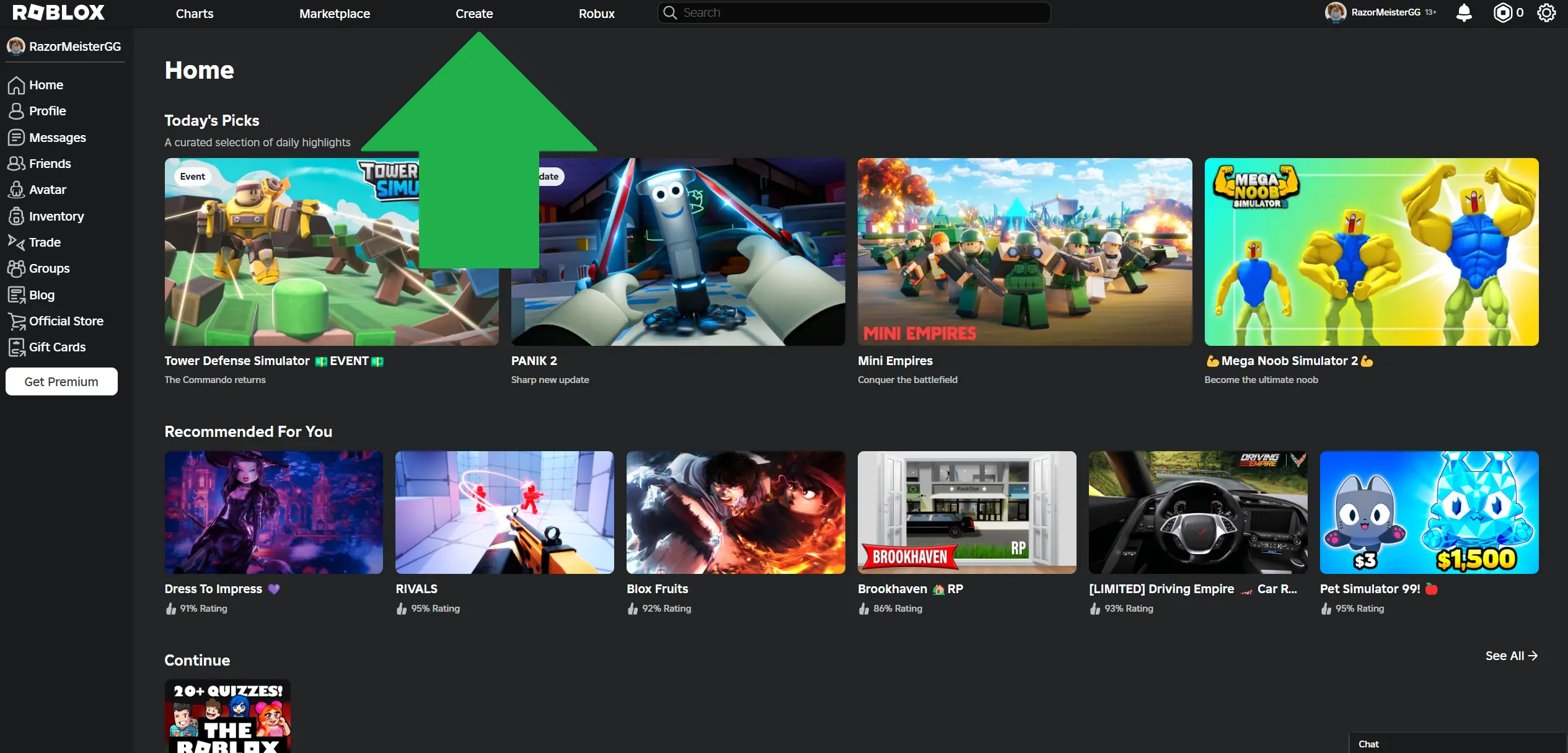
In the RBX panel, go to the 'Create' tab in the top menu.
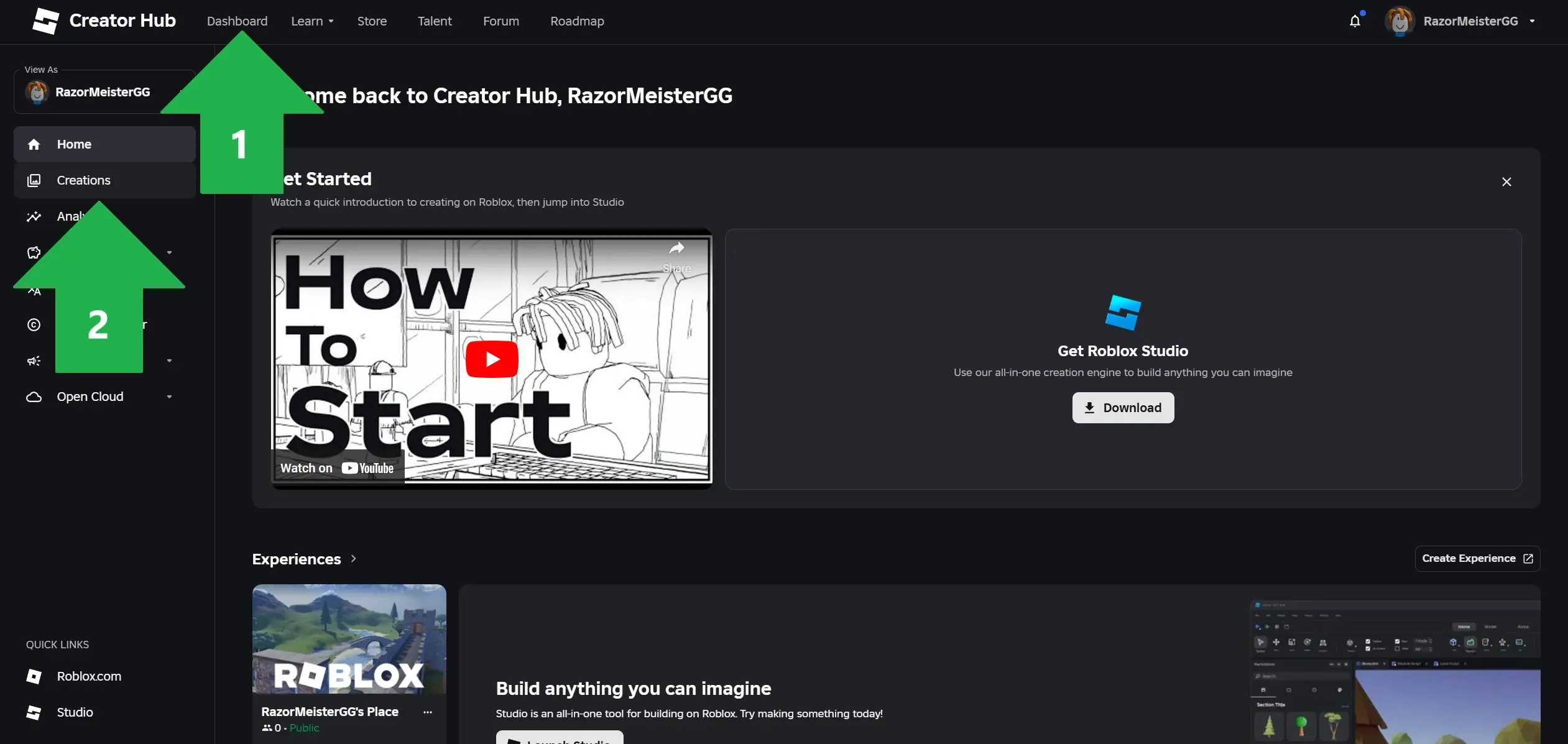
In Creator Hub, click the 'Dashboard' tab, then go to the 'Creations' section on the left side.
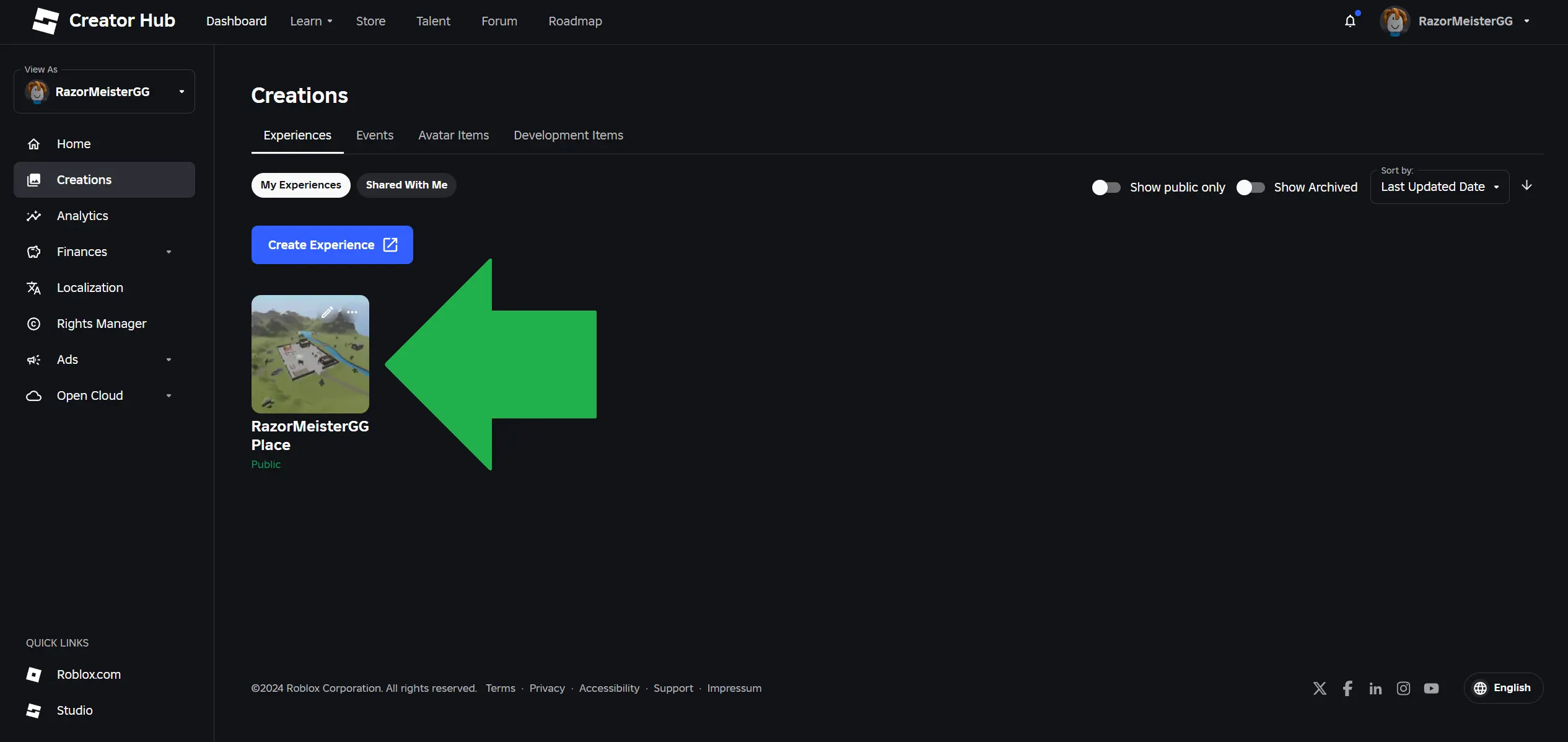
Select the first game from the list of your creations.
In the left menu under the 'Configure' section, click 'Settings', then click the 'Learn More' button.
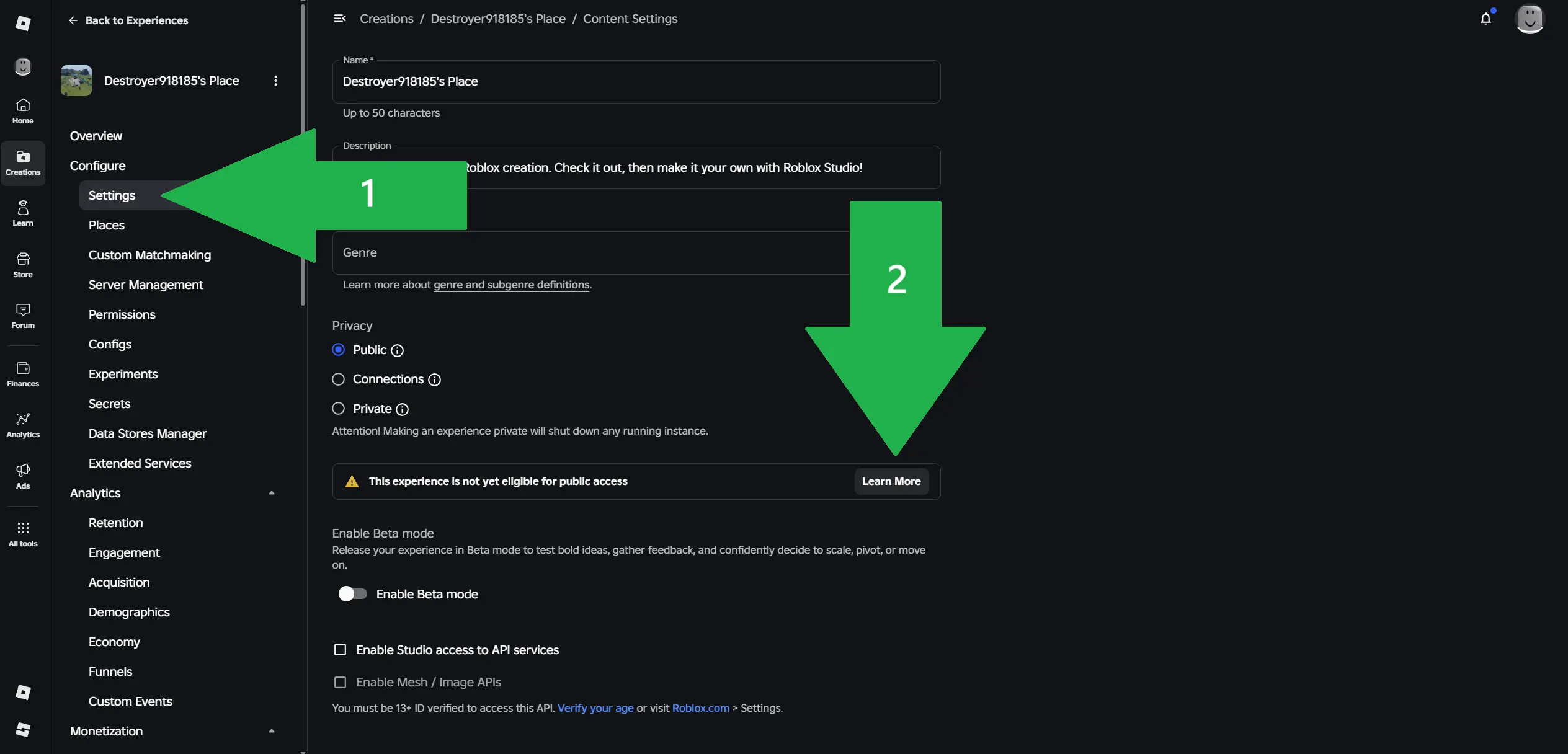
Then click 'Manage' next to 'Add a maturity label'.
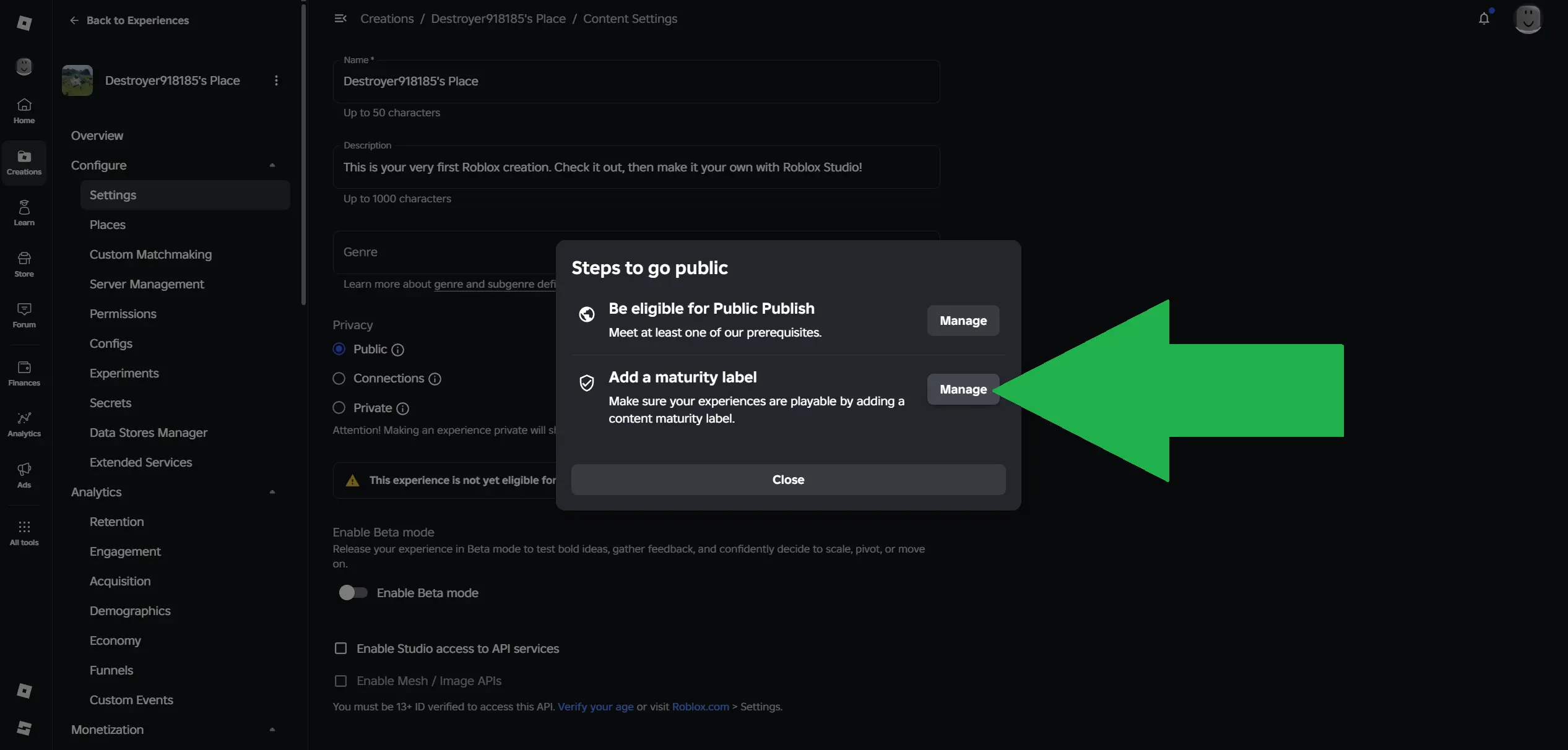
Click the `Start` button.
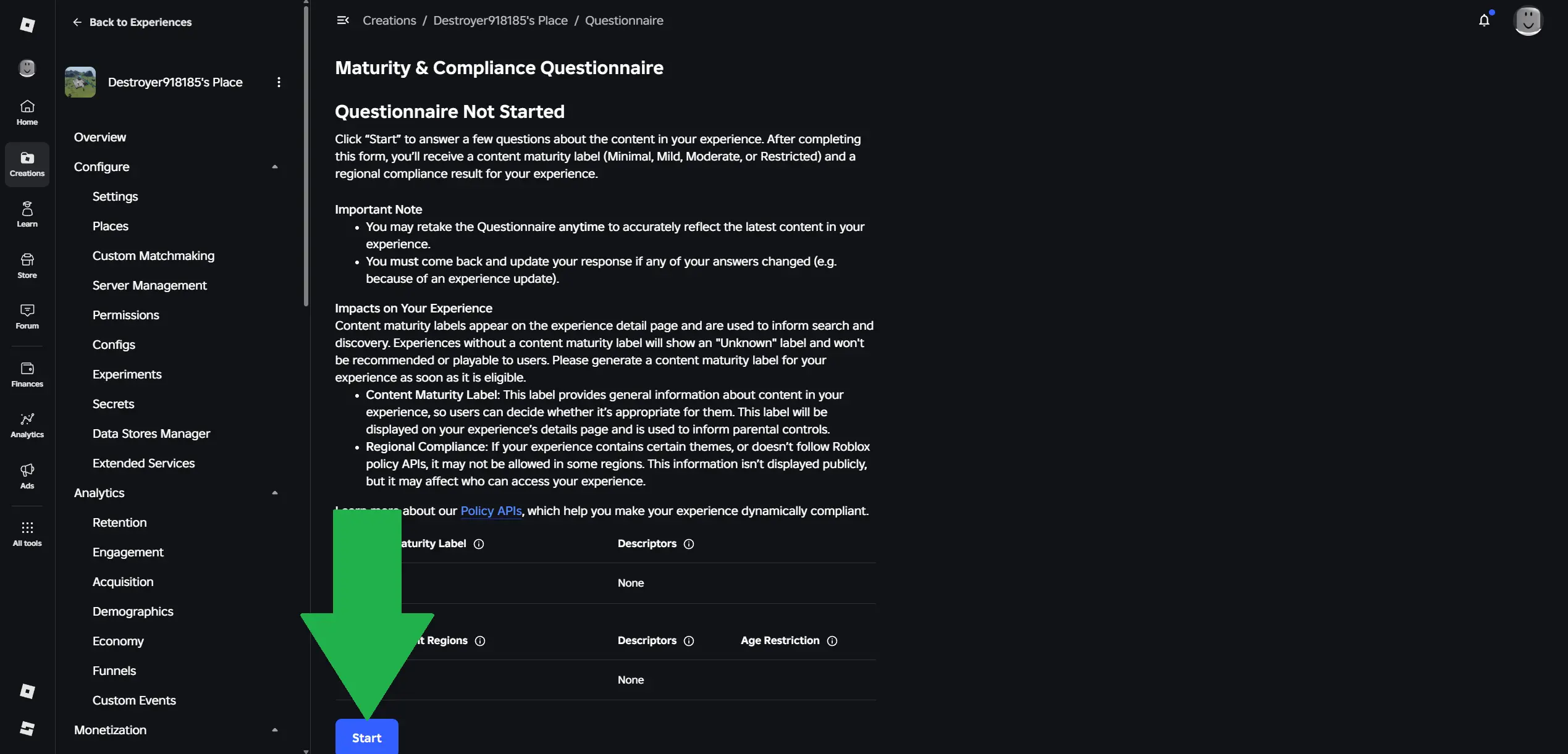
In each section select `No`, then click the 'Continue' button.
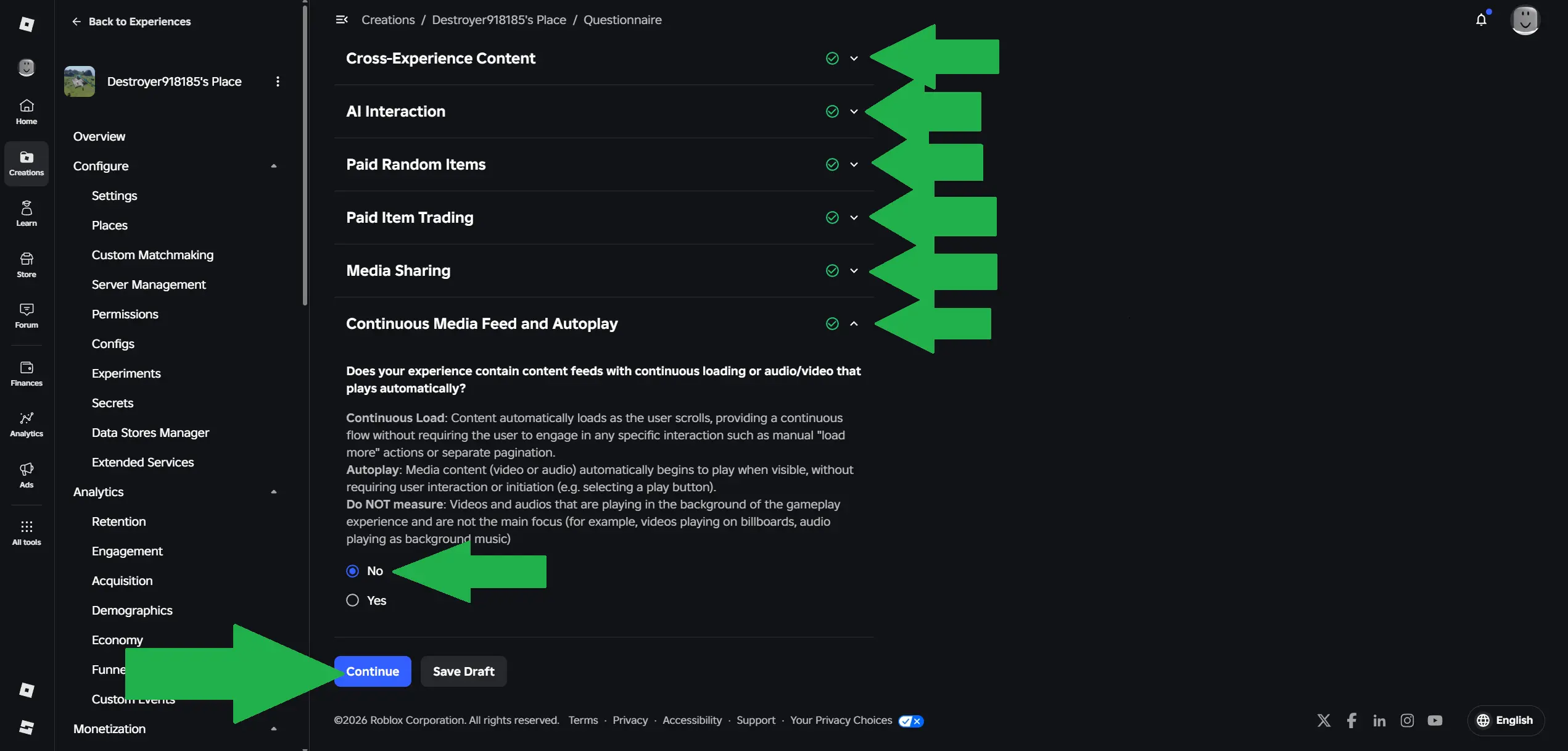
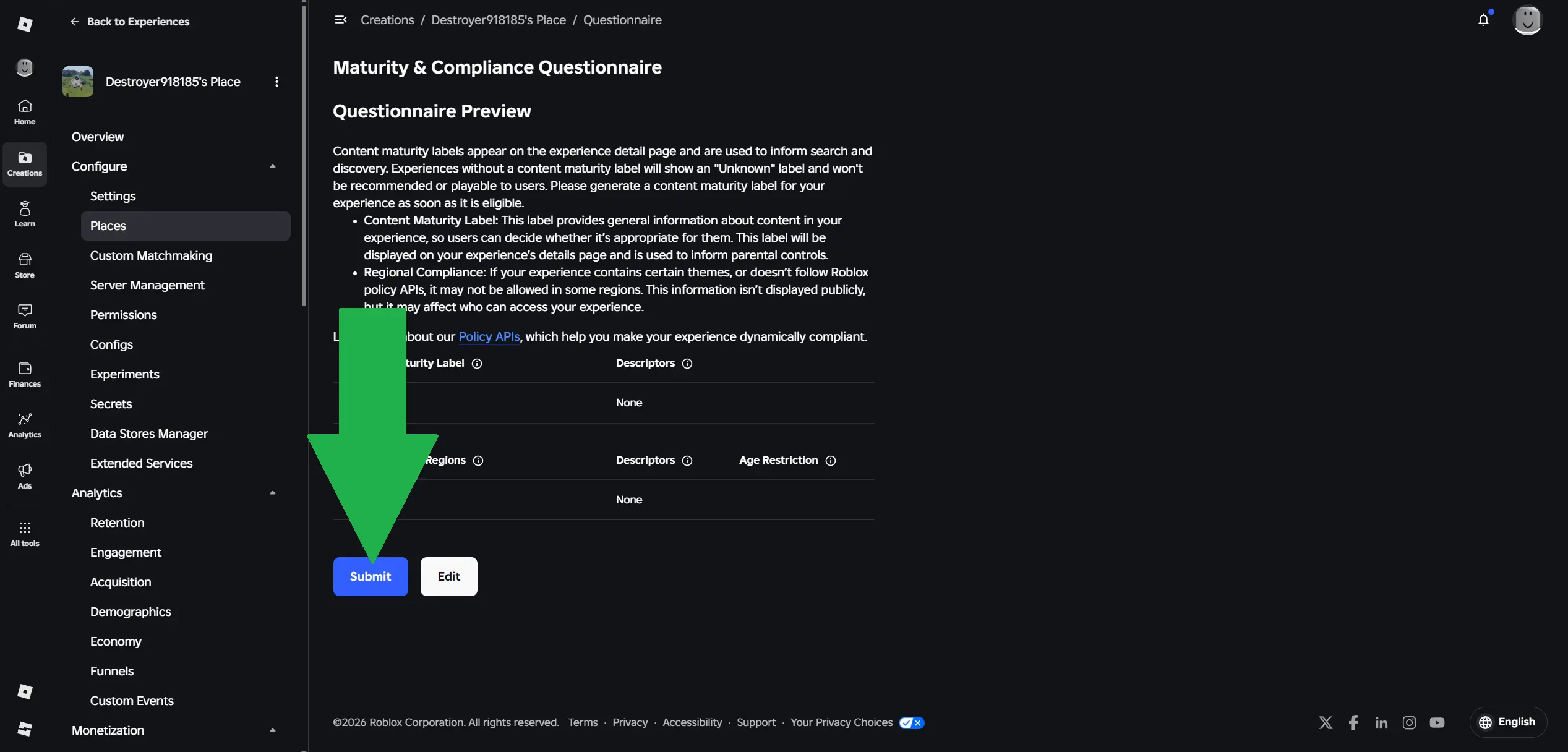
Click the 'Submit' button.
3. Create Game Pass
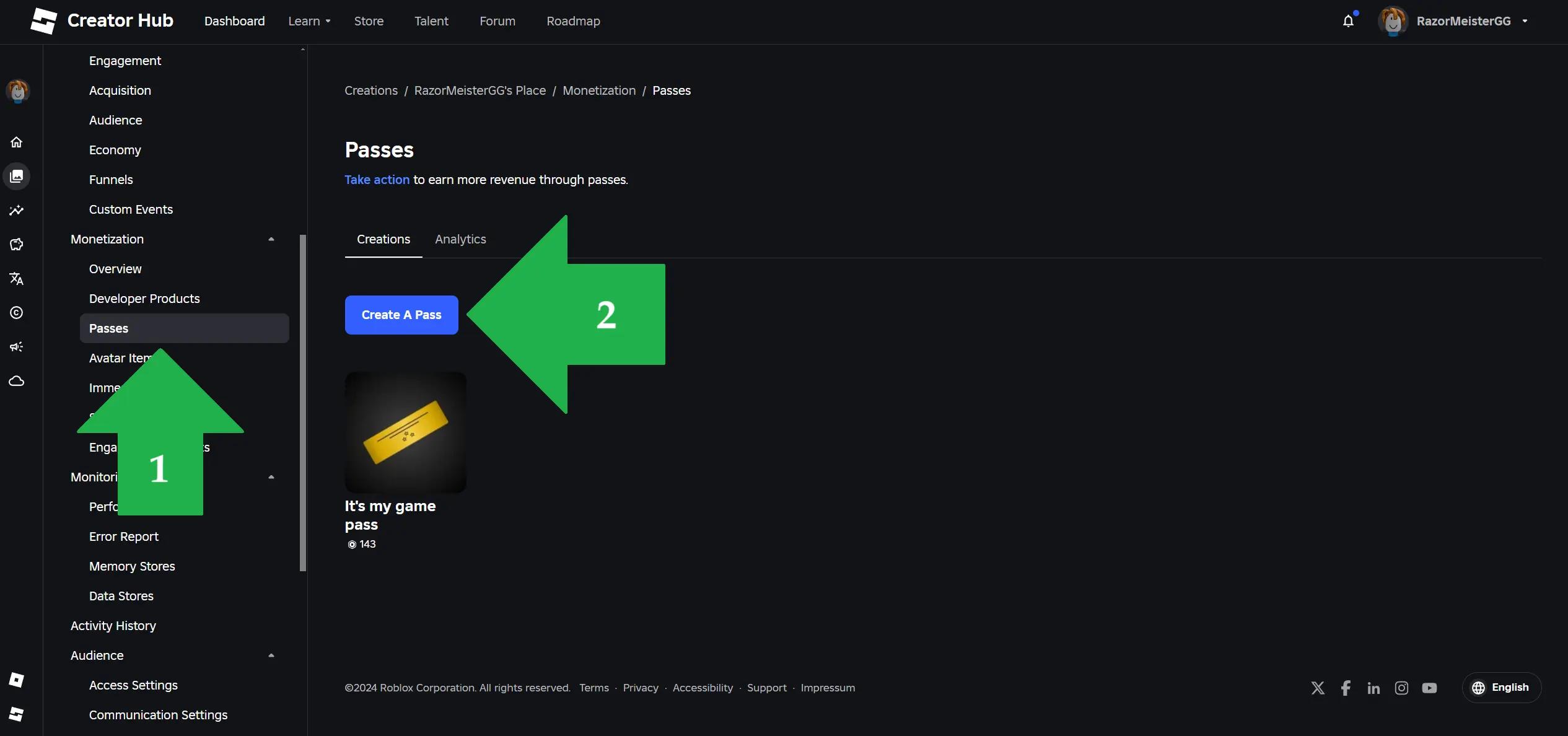
In the left side menu under the 'Monetization' section click 'Passes' and then click 'Create a Pass' button
Provide a name for you Game Pass (for example My First Game Pass) and click the `Create Pass` Button
4. Provide Game Pass price
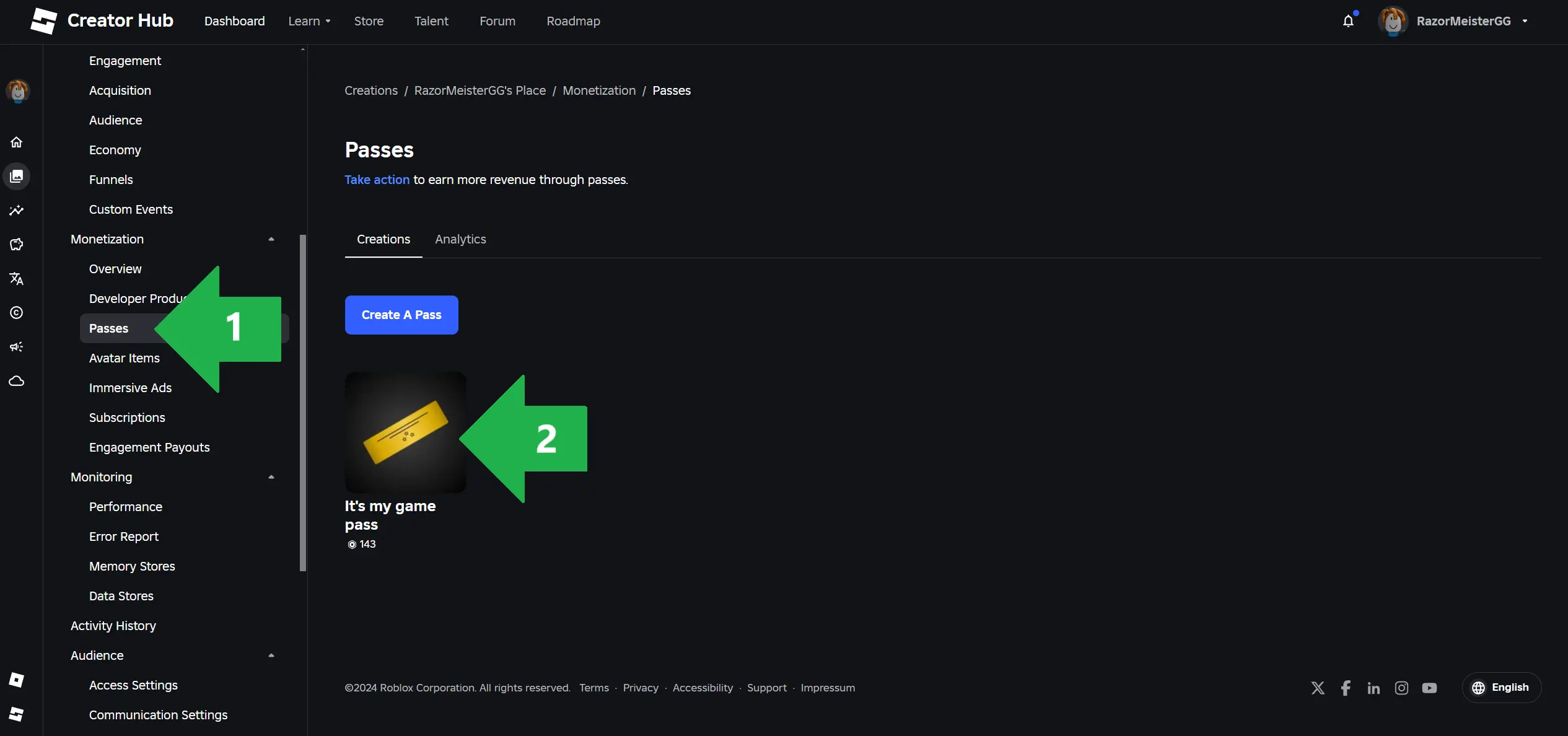
In the left side menu under the 'Monetization' section click 'Passes' and then click on the Game Pass you created
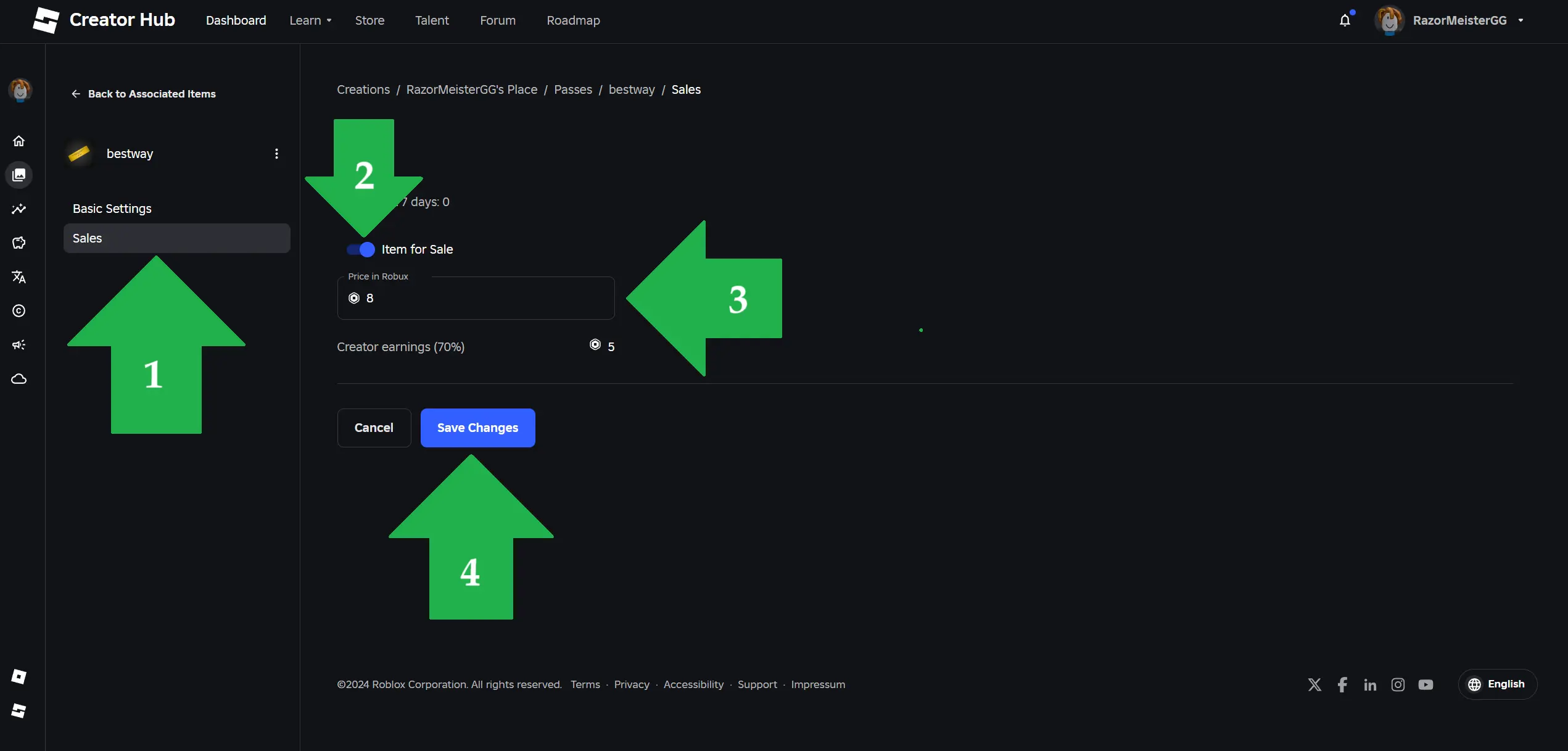
Click on the `Sales` tab and turn on toggle button `Item for Sale`
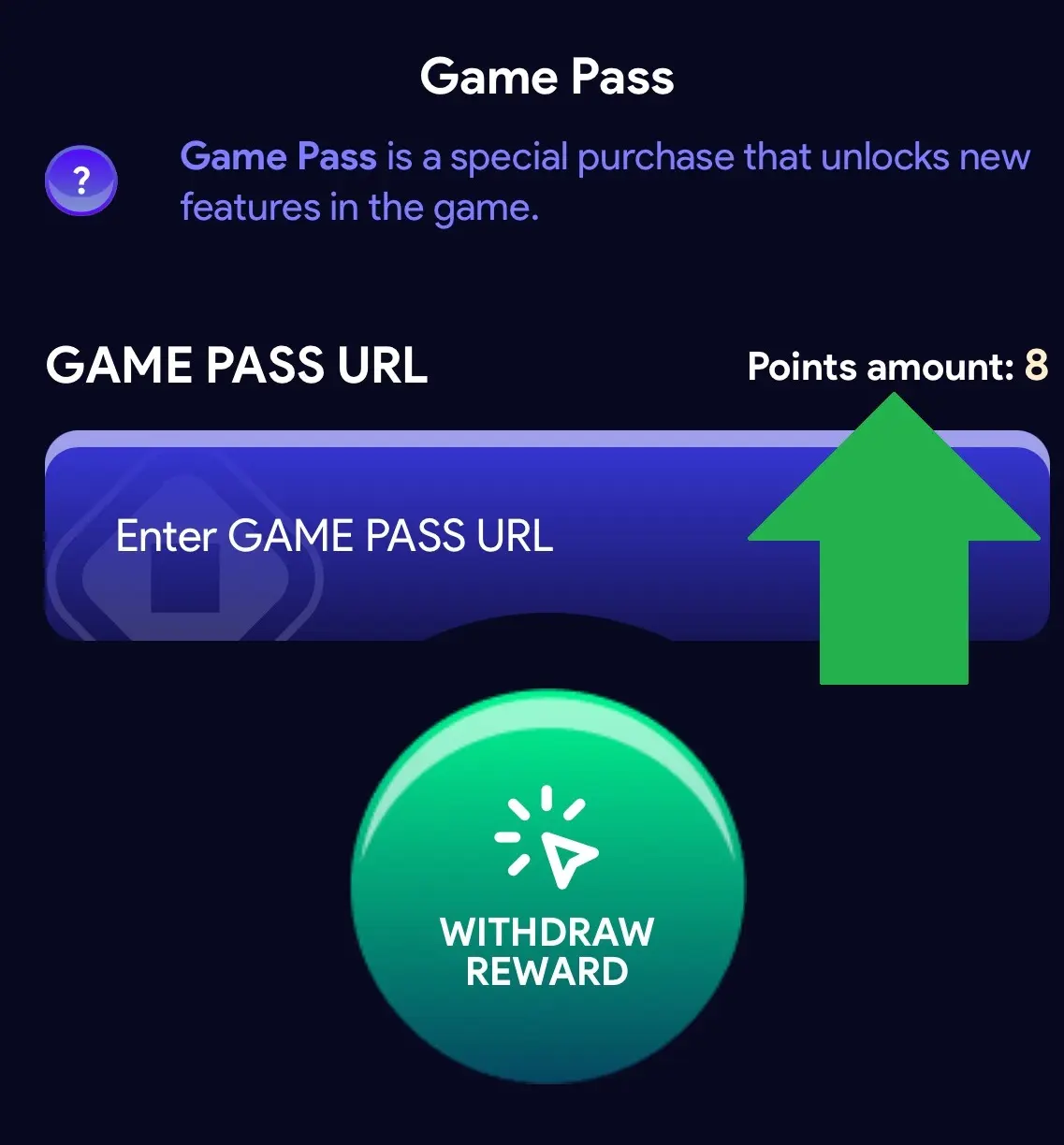
In the `Price in Robux` field enter the amount of Robux provided to you in the BWGG-RBX app
Click the `Save Changes` button
5. Copy Game Pass url
Go back and in the left side menu under the 'Monetization' section click 'Passes'
Click three dots on your created Game Pass and then click on the `Copy URL`
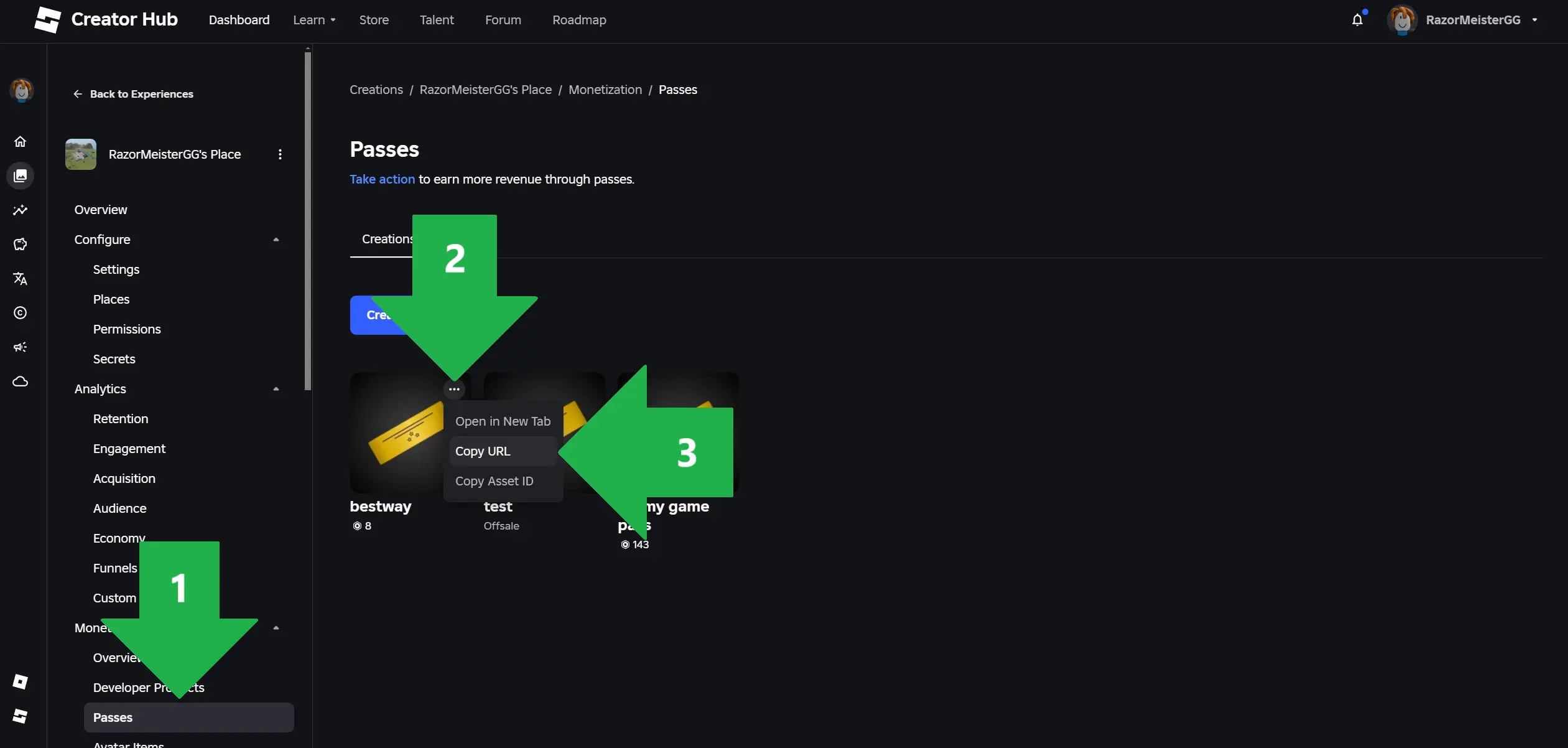
Go to the BWGG-RBX app and paste the copied URL of your Game Pass (or just the numeric Game Pass ID — both work)
BWGG-RBX Join Our App
Download our app and start your adventure with us.
Watch ads, play games, complete surveys, solve quizzes, and earn points to exchange for Robux.