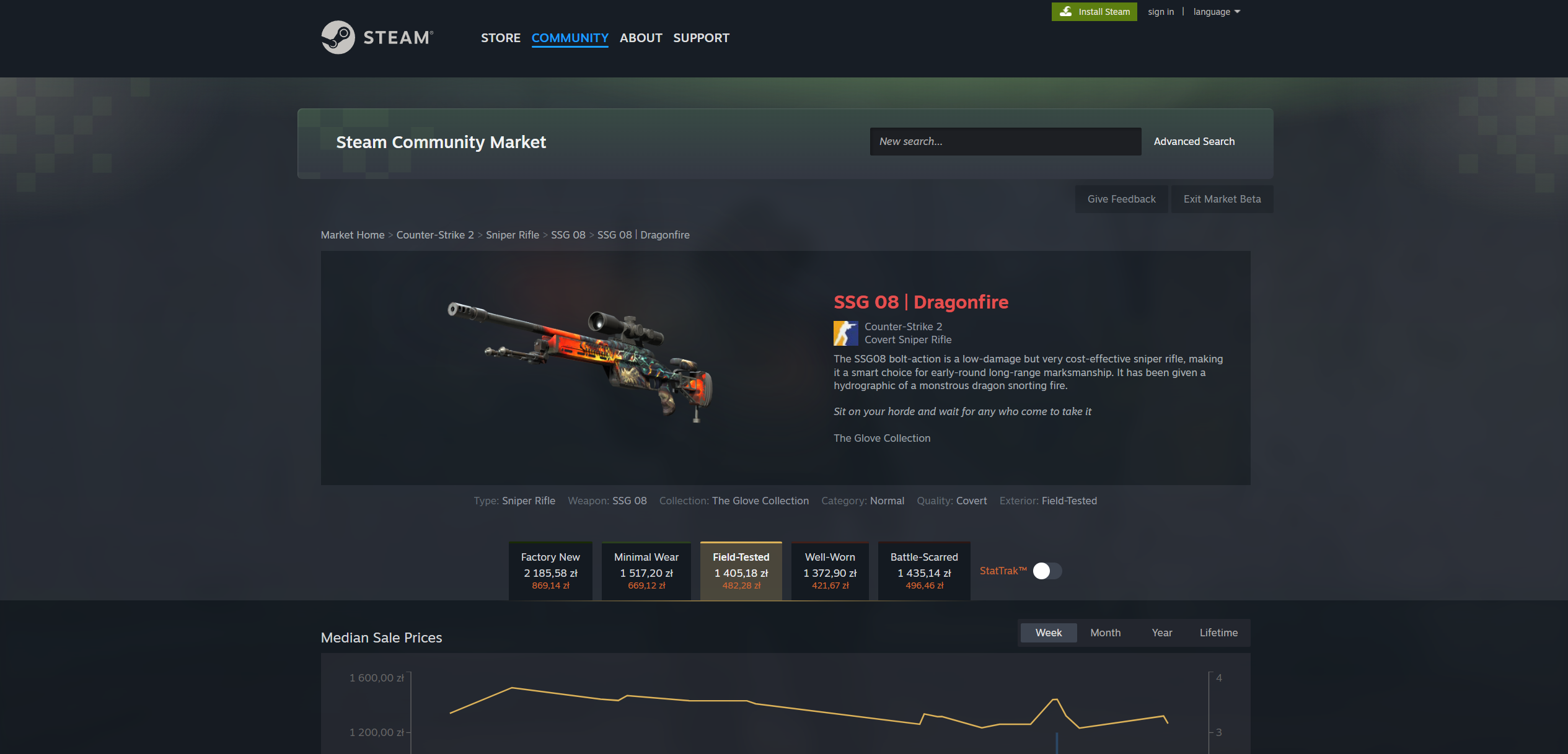
Steam quietly started rolling out a redesigned Steam Community Market to a subset of users this spring. If you’ve shopped for CS2 skins recently and noticed an “Exit Market Beta” button at the top of the page, you’ve already seen it. The new layout is cleaner — wear variants live in tab pills, a StatTrak™ switch sits next to them — but the URL structure underneath has changed in ways that matter if you ever share a link to a specific skin variant.
What’s different in the new view
In the classic Market UI, every wear of a skin was its own page with its own URL. “AK-47 | Vulcan (Factory New)” and “AK-47 | Vulcan (Field-Tested)” were two separate listings, each with the full name encoded in the URL.
The new UI groups them. A single page shows all five wear variants as tabs at the top, plus a StatTrak™ toggle on the right. The URL is no longer the skin name — it’s a short token like G181B20B4073004 that identifies the bucket (the group of related variants). The specific variant you’re looking at is encoded as a query string:
- Wear →
?category_730_Exterior=tag_WearCategory0(Factory New) throughtag_WearCategory4(Battle-Scarred) - StatTrak™ →
&category_730_Quality=tag_strange
So the full URL for a StatTrak™ Factory New ends up looking like:
https://steamcommunity.com/market/listings/730/G181B20B4073004?category_730_Exterior=tag_WearCategory0&category_730_Quality=tag_strange
It’s longer and less human-readable than the old form, but it’s also more consistent — every variant lives behind the same base URL with different filters.
What this means when you share a skin link
Most of the time, this is invisible. You click a skin in the Market, your browser shows the page, the URL bar shows the new format — and Steam handles the rest. The friction shows up when another tool has to read your link and figure out exactly which variant you meant.
Our Discord bot is a good example. When you submit a skin suggestion in the BestWay.gg server, the bot reads your URL and looks up that exact skin. In the classic UI, the URL contained the full name including the wear, so there was nothing to guess. In the new UI, if you paste the bare bucket URL — https://steamcommunity.com/market/listings/730/G181B20B4073004 — the bot can’t tell whether you meant the Factory New, the Field-Tested, or the StatTrak™ version. They’re all under that one ID.
So before you copy a URL from the new Market UI:
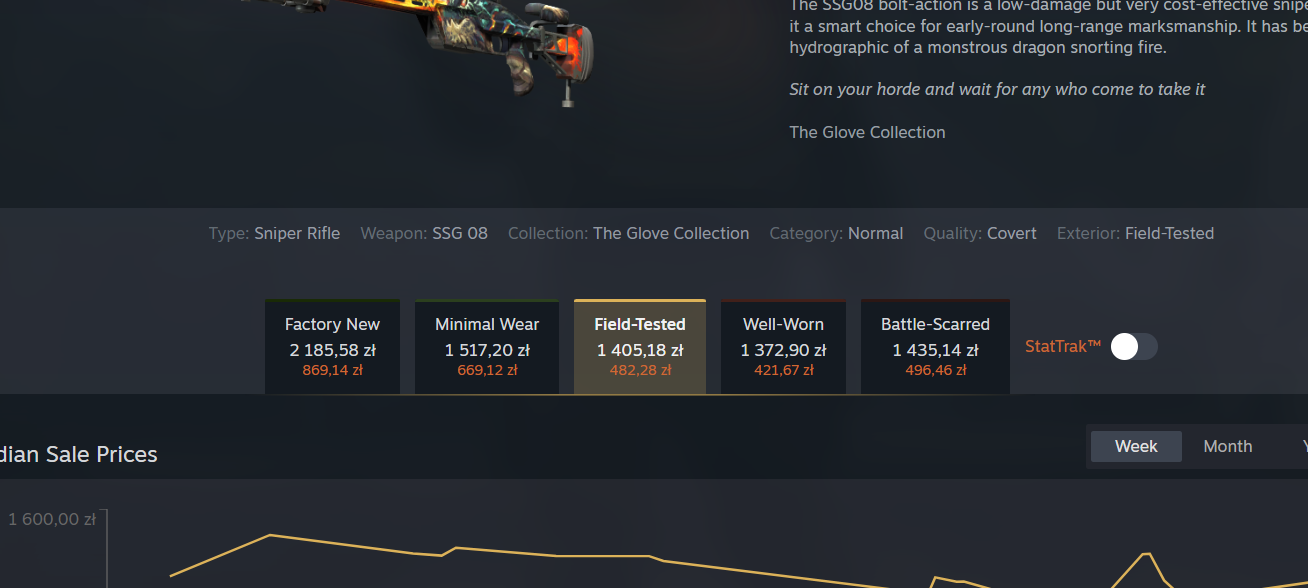
- Open the skin on Steam.
- Click the wear tab you want (Factory New, Minimal Wear, Field-Tested, Well-Worn, or Battle-Scarred) — if the skin has wear at all. Stickers, charms, agents, and cases skip this step.
- Toggle StatTrak™ if you want the StatTrak version. Leave it off for a normal skin.
- Now copy the URL from your browser address bar. The query string carries your choices.
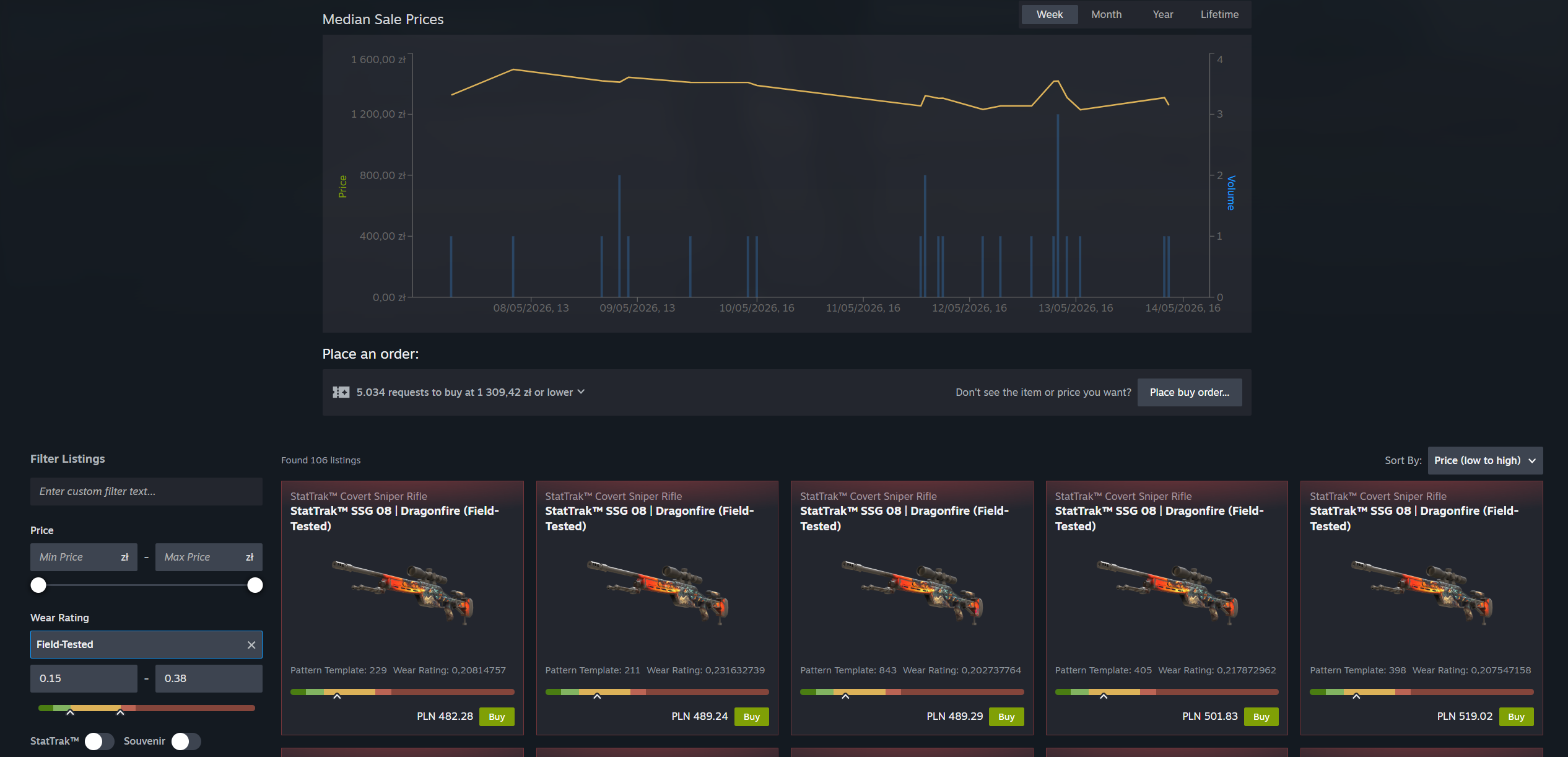
The same filters also live in the Filter Listings sidebar lower on the page — toggling StatTrak™ or picking a Wear Rating there updates the same query string in the URL. Either path works; just make sure the variant you want is the one selected before you copy.
The classic URL form still works everywhere, by the way. If you happen to be on a page that still uses the old layout (or you’ve opted out of the beta via the “Exit Market Beta” button), nothing changes. Both formats are valid Steam URLs.
What we changed on our side
We updated the BestWay.gg backend, the Discord bot, and the Steam-side helper that fetches market data to understand both URL formats:
- Both URL shapes work for skin suggestions, price checks, and reservations.
- When you paste a new-format URL with a wear and StatTrak choice, we resolve it to the exact skin.
- When you paste a bare bucket URL without picking a wear, the Discord bot now replies with a friendly nudge to go back, select the variant, and paste again.
If you’ve used the suggestion feature before and run into “We can’t find that skin” messages with the new Market UI — that’s why. Pick the variant first, then copy.
Why the change?
Valve hasn’t published a detailed roadmap for the new Market, but the redesign fits a pattern: consolidating dozens of near-identical listings (every wear of every skin) into single grouped pages is a usability win for casual buyers, and a database win for Steam. It mirrors how Steam already groups items in inventory and trade offer flows.
The trade-off is exactly what we hit: the URL is no longer self-describing. If you build automation on top of Steam, you have to teach it to read query strings rather than path segments. Most third-party CS2 tools will need a similar update over the next few months.
TL;DR — Steam’s new Community Market UI groups skin variants under one bucket ID. When you copy a Steam link to share or submit somewhere, click the wear tab and (if relevant) the StatTrak™ toggle before copying. Both old and new URL formats work on bestway.gg, but the bare bucket URL is ambiguous and we’ll ask you to pick a variant.
Want to suggest a skin you’d like to see on bestway.gg? Jump into our Discord server and use the skin suggestion form. Just remember to pick the wear first.
